How to Use Ncr Carbonless Paper for Efficient Documentation?
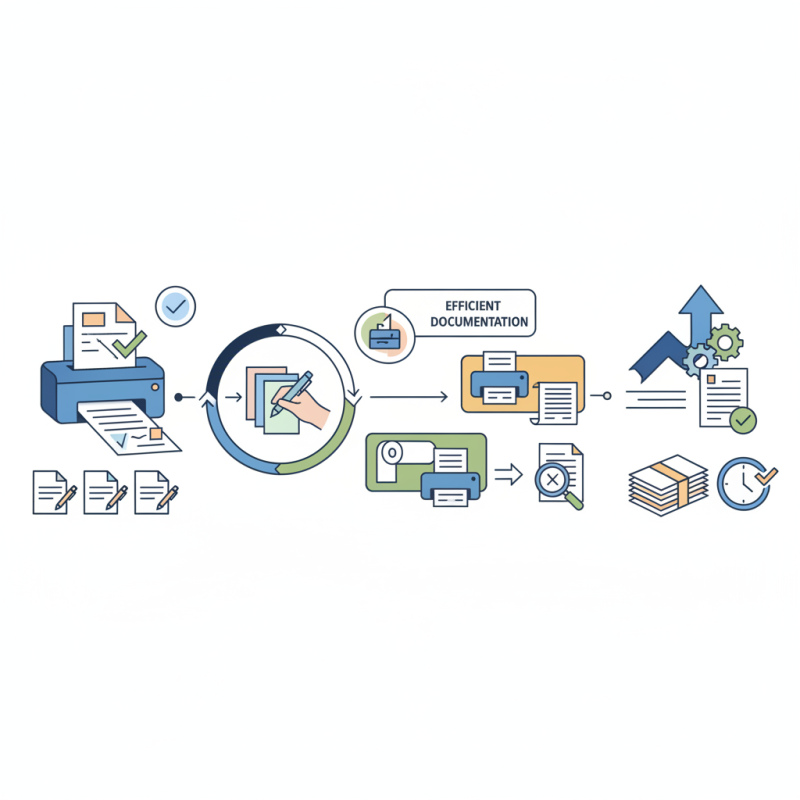
Ncr Carbonless Paper is a valuable tool for efficient documentation. This paper eliminates the need for carbon sheets, making it ideal for businesses. It allows users to create multiple copies of documents with ease.
When using Ncr Carbonless Paper, there are a few key factors to consider. Ensure that your printer is compatible. The paper comes in various sizes, so select the one that fits your needs. Keep in mind that not all pens work well on this paper.
Mistakes can happen during the printing process. Test your documents before a large print run. Sometimes, the ink may smudge or not transfer properly. Overall, Ncr Carbonless Paper can streamline your documentation, provided you use it carefully.
Understanding Ncr Carbonless Paper and Its Benefits
NCR carbonless paper is a revolutionary tool for documentation. It allows users to create multiple copies of a document without needing carbon paper. This means less mess and less hassle when needing duplicates. The layers of this specialized paper transfer the writing impressions. Ink imprints on the front, which then transfers onto the sheets beneath. This method is clean and efficient.
Understanding the benefits of NCR paper is vital. It reduces waste, as it eliminates the need for traditional carbon sheets. Businesses can save time, as documentation becomes quicker. Moreover, it enhances organization. Different copies can serve various purposes, reducing confusion. However, one must be careful with its use. Using too much force while writing can ruin the quality of the copies. It requires a gentle hand to ensure clarity.
Many users appreciate the ease of use, but some may struggle with adjusting to this system. If one is used to traditional methods, the shift can be challenging. It’s not without flaws, as mistakes can occur when stacks of paper get misaligned. These aspects warrant reflection, pushing users to adapt their approach while embracing the efficiency NCR paper offers.
Types of Ncr Carbonless Paper and Their Uses
Ncr carbonless paper is versatile and practical for various documentation needs. There are different types available, each serving a unique purpose. For example, two-part paper creates duplicates, while three-part paper adds an extra copy for record-keeping. Common uses include invoices, receipts, and order forms. The choice of paper depends on the complexity of your documentation.
Each type of carbonless paper has distinct features. The color of the paper can indicate different copies; for instance, white for the original and yellow for duplicates. Moreover, these papers offer easy handling and quick writing. However, some users find the impressions might not be as crisp as they expected. It’s essential to test the paper before committing to large quantities.
Inconsistent results can occur due to varying pressure when writing. If not pressed hard enough, the impressions may be faint. This variability prompts reflection on writing techniques. Adjusting your writing style could improve clarity. Ultimately, understanding the types and their applications can lead to more efficient documentation practices.
Step-by-Step Guide to Using Ncr Carbonless Paper
Using NCR carbonless paper can streamline your documentation process. This type of paper transfers information without the need for carbon sheets. It makes it easier to create multiple copies of a document. You can use it for invoices, orders, and receipts.
Start by gathering your materials. You will need NCR paper, a printer, and a writing tool. Load the NCR paper into your printer, ensuring you follow the right orientation. Print the master copy you want to duplicate. Once it's printed, you can use it as a template for future documents.
Tips: Always test print on regular paper first. This helps avoid mistakes. If you make an error, don’t panic. You can adjust the placement or redo the document.
Also, storing your NCR paper flat will prevent it from wrinkling. Keep in mind that light pressure works best when writing on NCR paper. It ensures clear copies without damaging the layers.
Best Practices for Storing and Handling Ncr Carbonless Paper
Storing and handling NCR carbonless paper requires attention to detail. It’s essential to keep the paper flat and in a cool, dry place. Avoid exposing it to high humidity or direct sunlight. This helps maintain its quality and ensures it performs well during use. A marked folder or box can be effective for organization. Labeling can prevent confusion later.
Handling NCR paper also requires care. Always wash your hands before touching the sheets. Oils and dirt from your fingers can affect the papers’ sensitivity. When printing, make sure to use compatible ink. Experiment with settings to get it just right. It may take a few tries to find what works best. Be mindful of the amount of pressure applied during printing. Too much can damage the sheets.
Regularly check for any signs of wear or damage. Uneven sheets can lead to poor quality copies. Keep an eye on the expiration date; old paper may not perform efficiently. By taking these steps, you ensure the best results with NCR carbonless paper.
Common Mistakes to Avoid When Using Ncr Carbonless Paper
When using NCR carbonless paper, several common mistakes can hinder your documentation process. One frequent issue is misalignment during printing. If the sheets are not correctly stacked, the results can be messy. You may end up with incomplete forms or barely readable copies. Always double-check your alignment before you hit print.
Another mistake is neglecting the weight of the paper. Using overly thin paper can lead to poor impression transfer. You might discover that the copies are too faint to read. Opt for a weight appropriate for your needs. Many overlook this detail, leading to wasted time and resources.
Finally, remember to handle the paper carefully. This material is sensitive to pressure and moisture. Leaving it in humid environments can ruin the sheets. You may find yourself with unusable forms that require reprinting. It’s essential to find an appropriate storage solution to avoid wasteful errors.
How to Use Ncr Carbonless Paper for Efficient Documentation? - Common Mistakes to Avoid When Using Ncr Carbonless Paper
| Dimension | Details |
| Paper Size | 8.5" x 11" (Letter) |
| Number of Copies | Up to 4 Copies |
| Common Uses | Invoices, Receipts, Delivery Notes |
| Key Benefits | No Carbon Required, Reduces Errors |
| Common Mistake 1 | Using Incorrect Printer Settings |
| Common Mistake 2 | Not Testing Before Bulk Printing |
| Common Mistake 3 | Ignoring Paper Orientation |